

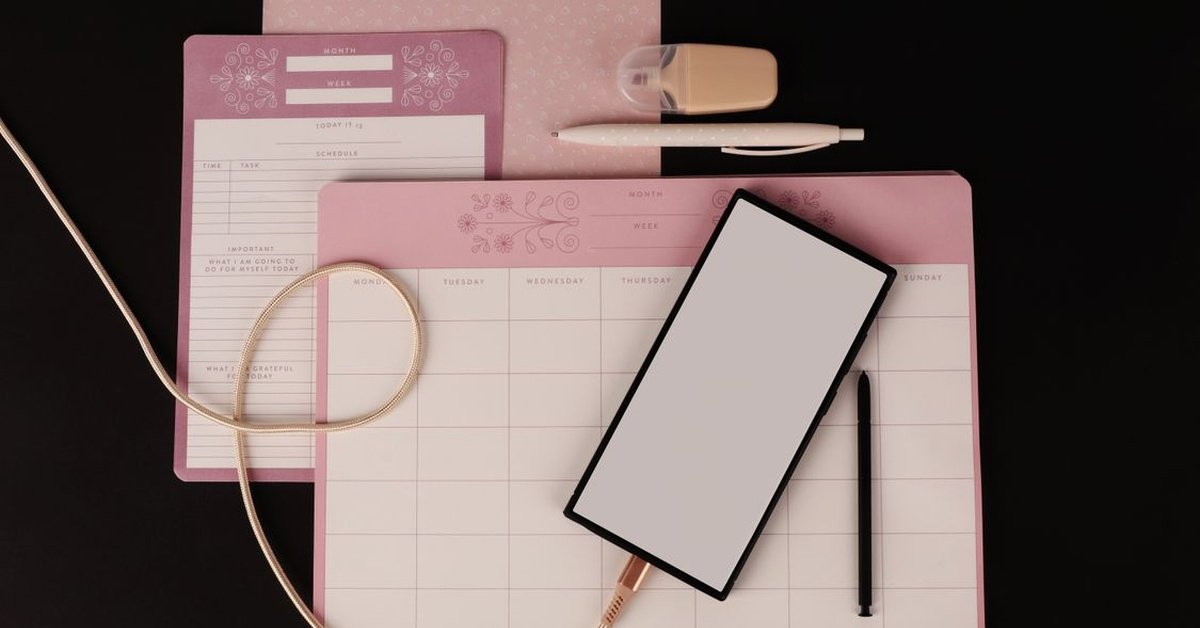
Direct answer: The best digital planners for 2026 are the ones you still open in March. For most people, that means Notion for a custom system, Goodnotes for handwritten iPad planning, Sunsama for guided daily planning, Motion for automatic scheduling, and TickTick for affordable personal organisation. The best planner is not the one with the most features — it is the one that survives your hardest week.
Quick Facts
| Planner | Best for | Style |
|---|---|---|
| Notion | Custom personal dashboards | App, highly configurable |
| Goodnotes | Handwritten iPad planning | App + PDF templates |
| Sunsama | Guided daily and weekly planning | App, calendar-first with reflection |
| Motion | Automatic rescheduling | App, AI scheduling |
| Akiflow | Calendar-first execution | App, tasks inside calendar |
| TickTick | Affordable personal organisation | App, lists and habits |
| Google Keep / Any.do | Quick notes and simple daily planning | App, free tiers |
| Microsoft To Do | Microsoft users | App, lists tied to a Microsoft account |
| Trello / ClickUp | Project visibility | App, boards and projects |
| Rocketbook Fusion | Paper handwriting + digital archiving | Reusable paper planner |
What Is a Digital Planner?
A digital planner is any tool or template that helps you organise tasks, schedule and goals on a digital device — phone, tablet, laptop or desktop. Unlike a paper planner, it can sync across devices, integrate with your calendar, send reminders and adapt when plans change, without crossing things out.
There are two main types. App-based planners are purpose-built applications with a planning system already inside — task lists, calendar views, time blocking and sometimes AI scheduling. Template-based planners are hyperlinked PDFs used inside note apps like Goodnotes, giving you the feel of paper with digital navigation. Both count, and the right type depends on how you think.
App-Based Planners: The Main Choices
Notion is the most configurable option. You can build a personal dashboard that combines tasks, notes, goals and databases exactly how you want them. The trade-off is setup time: Notion rewards people who enjoy building a system, and frustrates people who want to start planning immediately.
Sunsama is the most thoughtful guided planner. It walks you through daily and weekly planning, including reflection, so you plan what you can realistically do rather than listing everything you wish you could do. It suits people whose problem is overcommitting, not under-organising.
Motion is the strongest automation bet. It uses AI to prioritise and reschedule tasks dynamically around your calendar, so when a meeting moves, your tasks move with it. It suits busy professionals whose calendars change constantly.
Akiflow is built for calendar-first execution: tasks live inside your calendar, so planning and doing happen in the same view. If your main pain is turning scattered commitments into a realistic schedule under calendar pressure, Akiflow is the most convincing all-around choice in several 2026 comparisons.
TickTick is the best low-cost recommendation, offering lists, habits, calendars and reminders at an affordable price. Google Keep is quickest for notes and checklists, Any.do adds simple daily planning, and Microsoft To Do fits Microsoft users with lists tied to a Microsoft account.
Template Planners: The iPad Route
If you like handwriting, an iPad planner inside Goodnotes is often the happiest middle ground. Hyperlinked PDF planners let you tap to jump to today, restart after a bad week, and keep the feel of paper without the bulk. Goodnotes Marketplace planners start from around $9.99, and independent planners such as HyperPlanners’ 2027 ADHD planner (from $19) and Passion Planner Digital 2027 ($40) offer structured systems for specific needs, such as ADHD-friendly planning with a top-3 focus and a restart button.
For a reusable paper option, the Rocketbook Fusion combines paper handwriting with full digital archiving, and was picked as a top overall planner in a 2026 test of 10 planners over 60 days, for reducing paper waste while keeping handwriting.
Project Planners: When Planning Is Teamwork
When planning is inseparable from project structure, Trello and ClickUp remain excellent. Trello’s boards are simple and visual; ClickUp is more customisable and better for teams that need workload views. Monday work management suits visual planning, Wrike suits AI-assisted planning, and Jira suits sprint planning for software teams. These are project tools first and personal planners second — use them when you need visibility across a team, not just a daily list.
How to Choose: Four Questions
- Where does your work live? If it is in your calendar, pick a calendar-first planner like Akiflow or Sunsama. If it is in documents, Notion fits better.
- Do you like handwriting? If yes, Goodnotes with a PDF planner will stick better than any app.
- Does your schedule change constantly? If yes, Motion’s automatic rescheduling earns its keep.
- What is your budget? TickTick, Google Keep and Microsoft To Do cover most personal needs for little or nothing, while premium planners earn their price only if you use their automation or guided system daily.
A good trial should feel slightly stressful, because real work is stressful. Import live meetings, add tasks with deadlines, block time for one deep-work item, let one task slip, and move something on the calendar. The planner that makes recovery easy — not the one with the cleanest first impression — is the one to keep.
Conclusion
The best digital planners for 2026 are not a single app. Notion wins for custom systems, Goodnotes for handwriting, Sunsama for guided planning, Motion for automation, TickTick for value, and Trello or ClickUp for project visibility. Match the format to your schedule, commit to a daily review habit, and treat the planner as a tool rather than a calendar. The most productive quarter starts the moment you open the planner you will actually use tomorrow.
FAQs
1. What is the best digital planner app in 2026?
There is no single best app. Notion is best for custom systems, Sunsama for guided planning, Motion for automation and TickTick for affordable personal organisation.
2. Are digital planners better than paper planners?
Digital planners sync across devices, send reminders and adapt to changes. Paper planners suit people who remember better by handwriting. Reusable options like Rocketbook combine both.
3. What is the best free digital planner?
Google Keep is quickest for notes and checklists, Any.do adds daily planning, Notion is most configurable, and Microsoft To Do fits Microsoft users.
4. What is the best digital planner for iPad?
Goodnotes with a hyperlinked PDF planner, bought in the Goodnotes Marketplace or from independent planner makers.
5. How do I choose between Sunsama and Motion?
Choose Sunsama if you want guided daily planning and reflection. Choose Motion if you want automatic scheduling and rescheduling around a changing calendar.
6. Do I need a paid planner?
Not necessarily. Free tiers cover most personal planning. Pay when automation, team features or a specific guided system saves you real time every week.
7. How long should I trial a planner?
At least three weeks of daily use. The biggest predictor of success is daily use, which is why undated planners that remove the pressure of missed days are popular.
For more articles like this, visit Newsexamine.
